


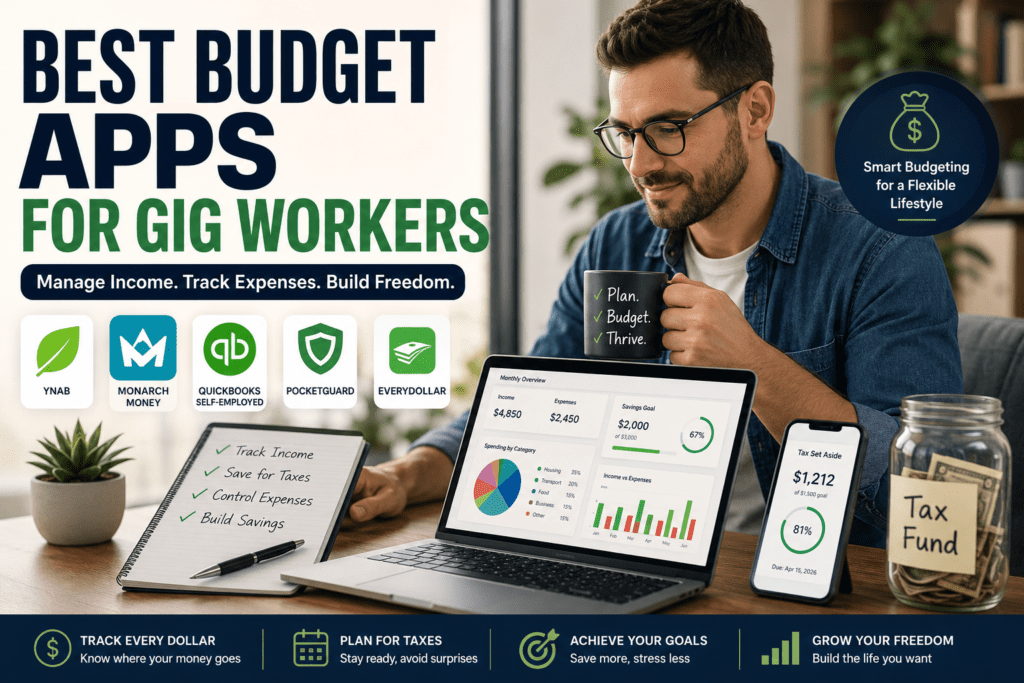
The good news? The best budget apps for gig workers make budgeting, saving, and tax planning dramatically easier in 2026. Whether you want full budgeting control with YNAB, automated financial tracking with Monarch Money, or tax-focused tools from QuickBooks Self-Employed, there’s an option that fits your workflow.
If you are a freelancer, independent contractor, or digital nomad, traditional budgeting systems feel like they are written in a foreign language. Standard apps are built for people who get a predictable, bi-weekly paycheck. When your cash flow looks like a roller coaster—flush with cash one month, scraping by the next—those rigid apps fail completely.
The right budgeting app helps you:
- Track inconsistent income
- Prepare for taxes
- Separate personal and business expenses
- Build savings automatically
- Avoid financial stress during slow months
To survive the gig economy without constant money anxiety, you need dedicated financial tools that understand your world. Let’s break down the best budget apps for gig workers that will help you tame the cash flow beast, track write-offs, and master tax season.
What Is the Best Budget App for Gig Workers?
Independent professionals need tools that calculate variable income and automate tax tracking. YNAB is the top choice for zero-based budgeting on irregular pay, while QuickBooks Self-Employed remains the gold standard for tracking deductions and quarterly taxes. For an all-in-one forecasting dashboard, Monarch Money is the top premium alternative.
Best Budget Apps for Gig Workers (2026)
1. YNAB (You Need A Budget) 💸
Best For:
Zero-based budgeting and irregular income management
Key Features
- Goal-based budgeting
- Real-time expense tracking
- Bank syncing
- Debt payoff planning
- Income forecasting
Pros
✅ Excellent for freelancers with unpredictable income
✅ Encourages intentional spending
✅ Strong educational resources
Cons
❌ Slight learning curve
❌ Monthly subscription fee
Pricing
Starts around $14.99/month
Why Gig Workers Love It
YNAB teaches users to budget based on money they already have — perfect for freelancers during slow seasons.
2. Monarch Money 👑
Best For:
All-in-one personal finance tracking
Key Features
- Shared budgeting
- Investment tracking
- Cash flow forecasting
- Subscription monitoring
- Financial goal planning
Pros
✅ Beautiful dashboard
✅ Great for couples and families
✅ Easy automation
Cons
❌ Premium pricing
❌ Limited tax-specific tools
Pricing
Around $14.99/month
Best Use Case
Ideal for freelancers balancing both personal and business finances.
3. QuickBooks Self-Employed 🧾
Best For:
Tax tracking and expense management
Key Features
- Mileage tracking
- Tax estimation
- Receipt scanning
- Invoice creation
- Expense categorization
Pros
✅ Built specifically for freelancers
✅ Excellent tax support
✅ Simplifies quarterly tax prep
Cons
❌ Less focused on traditional budgeting
❌ Can feel accounting-heavy
Pricing
Starts around $20/month
Best Use Case
Perfect for Uber drivers, consultants, and independent contractors who need tax-ready bookkeeping.
4. PocketGuard 📱
Best For:
Simple budgeting beginners
Key Features
- Spending limits
- Bill tracking
- Subscription alerts
- “Safe-to-spend” calculations
Pros
✅ Beginner-friendly
✅ Simple interface
✅ Affordable
Cons
❌ Fewer advanced budgeting features
❌ Limited business finance tools
5. EveryDollar 💰
Best For:
Manual budgeting fans
Key Features
- Zero-based budgeting
- Monthly planning
- Expense tracking
- Goal setting
Pros
✅ Easy to understand
✅ Fast setup
✅ Great for disciplined spenders
Cons
❌ Less automation in free version
❌ Not freelancer-specific
Feature Comparison Matrix
| App | Best For | Core Advantage | Pricing Tier (USD) |
| YNAB | Managing Irregular Income | Zero-based system makes you use real, current cash | ~$109 / year |
| QuickBooks | Automated Tax Bookkeeping | Direct schedule C filing & automatic mileage tracking | From ~$20 / month |
| Monarch Money | Multi-Account Forecasting | Clean, ad-free UI with shared partner accounts | ~$99 / year |
| PocketGuard | Simple budgeting beginners | Bill tracking “Safe-to-spend” | $6.25/month, |
How to Choose the Right Budget App
Not every freelancer needs the same tool.
Here’s a quick checklist 👇
Choose YNAB if:
- Your income changes monthly
- You struggle with overspending
- You want deep budgeting control
Choose QuickBooks Self-Employed if:
- Taxes stress you out
- You drive for Uber/Lyft
- You invoice clients regularly
Choose Monarch Money if:
- You want everything in one dashboard
- You manage household finances too
You prefer automation

Why Traditional Budgeting Apps Fail the Self-Employed
Most financial platforms assume your income is a fixed number. They ask you to input your monthly earnings on day one, then tell you how much you can spend.
For solo professionals, that is backwards. You cannot budget money you haven’t actually earned yet. If an invoice is delayed by three weeks, a traditional software layout collapses into a sea of red error messages.
Gig workers require specialized tools that can:
- Safely separate business revenue from personal spending money.
- Calculate accurate estimated quarterly tax reserves automatically.
- Build a visual “holding tank” for lean months during seasonal drops.
Pro Tip: Use the “40-30-20-10 Freelancer Rule” 🚀
Most budgeting articles stop at tracking expenses. But freelancers need income protection too.
Try this framework:
- 40% → Essential living costs
- 30% → Taxes + business expenses
- 20% → Savings & emergency fund
- 10% → Fun spending
This flexible structure works surprisingly well for irregular income because it scales with your earnings.
During high-income months, increase savings first instead of lifestyle spending.
💡 The “Hill and Valley” Buffer Framework
Here is a unique budgeting blueprint most personal finance articles miss. When you work for yourself, you cannot use a standard emergency fund strategy. Instead, you need an operational mechanism called a Hill and Valley Buffer.)
How to Build It:
- Calculate your baseline survival number: Determine the absolute minimum cash required to pay your base personal bills and business overhead each month.
- Open a separate high-yield savings account: Label this your “Buffer Vault.”
- Establish a set salary: In a high-earning month (a “Hill”), deposit all surplus cash above your baseline directly into your Buffer Vault.
- Supplement lean months: When an invoice lands late or projects dry up (a “Valley”), draw money out of your Buffer Vault to pay your flat monthly salary.
This pool separates your emotional health from your weekly business performance, effectively creating a steady paycheck out of chaos.
Regional Tax & Banking Nuances for Freelancers
Where you pay your bills matters just as much as how you track them. Budgeting requirements look slightly different across borders:
- United States: You must save roughly 25-30% of your gross earnings to account for the Self-Employment Tax (Social Security and Medicare) alongside Federal and State obligations. Platforms like QuickBooks tie directly into IRS estimated payment schedules, pushing automatic updates when brackets change.
- United Kingdom: British sole traders need to account for National Insurance contributions and Income Tax under the HMRC Self Assessment guidelines. Ensure your app supports open banking APIs to securely bridge with modern challenger banks like Monzo or Starling, which offer native expense matching.
- Canada: If you clear over $30,000 CAD in gross revenue within a single calendar quarter, you must register for and collect GST/HST. Your budgeting tool must track collected sales taxes as a separate liability—that cash belongs to the Canada Revenue Agency (CRA) and should never be counted as spendable company revenue.
Key Takeaways 📌
- The best budget apps for gig workers help manage irregular income and taxes.
- YNAB is excellent for deep budgeting control.
- Monarch Money offers a clean all-in-one financial dashboard.
- QuickBooks Self-Employed is ideal for taxes and business expense tracking.
- Freelancers should budget conservatively and prepare for income fluctuations.
- Separating business and personal finances reduces stress and improves financial clarity.
Frequently Asked Questions (FAQs)
What is the best free budget app for gig workers?
PocketGuard and EveryDollar offer useful free versions for beginners. However, premium apps provide stronger automation and tax tools.
Which budget app is best for freelancers with irregular income?
YNAB is widely considered one of the best options because it focuses on zero-based budgeting and cash flow management.
How much should a freelancer save for taxes inside a budget app?
As a general rule of thumb, save 30% of every payment you receive. Keeping this money tucked away inside a separate account ensures you can easily pay your quarterly estimated tax obligations without a cash crunch.
Can budgeting apps help with freelance taxes?
Yes. Apps like QuickBooks Self-Employed estimate taxes, categorize deductions, and track business expenses automatically.
Are budgeting apps safe to connect with bank accounts?
Most major budgeting apps use bank-level encryption and secure API connections. Always enable two-factor authentication for added protection.
Should gig workers separate personal and business finances?
Absolutely. Separate finances make budgeting easier, improve bookkeeping accuracy, and simplify tax filing.
Conclusion & Next Steps
Taming your personal finances in the gig economy does not require a degree in accounting. It simply requires a tool built for the reality of your changing income.
The good news? The best budget apps for gig workers make budgeting, saving, and tax planning dramatically easier in 2026. Whether you want full budgeting control with YNAB, automated financial tracking with Monarch Money, or tax-focused tools from QuickBooks Self-Employed, there’s an option that fits your workflow.
Start with one app, stay consistent for 30 days, and you’ll likely notice less stress and more financial clarity almost immediately. 🚀
[…] Popular mileage apps include: […]