


Free Budgeting Apps for Freelancers can make managing unpredictable income much easier. Freelancers often deal with fluctuating earnings, making it essential to track expenses, monitor cash flow, and plan ahead for slower months. The right budgeting app helps you stay organized, set savings goals, and maintain better control over your finances. Whether you’re a freelance writer, designer, developer, consultant, or gig worker, these free budgeting apps can support smarter money management and help you build strong financial habits for long-term success.
Wave (Free Core Accounting Tools)
Wave is one of the most popular financial management tools for freelancers and self-employed professionals. It offers free accounting software that helps track income, expenses, invoices, and receipts. If you’re looking for a budgeting solution combined with accounting features, Wave is an excellent choice for managing freelance finances efficiently.
Pros ✅
- Completely free accounting tools
- Expense and income tracking
- Professional invoicing features
- Receipt scanning support
- Easy cash flow monitoring
Cons ❌
- Limited advanced budgeting features
- Payroll services require payment
- Reporting options may feel basic
Goodbudget (Free Plan Available) 💵
Goodbudget uses the envelope budgeting system, helping freelancers allocate money into specific spending categories. This method improves spending discipline and encourages better financial planning. The free version provides enough features for freelancers who want a simple budgeting framework.
Pros ✅
- Envelope budgeting system
- Easy financial goal tracking
- Cross-device synchronization
- Beginner-friendly interface
Cons ❌
- Manual transaction entry
- Limited envelopes in free plan
- Fewer automation features
PocketGuard (Free Version + Paid Upgrade)
PocketGuard helps freelancers understand how much money is available after bills, savings, and essential expenses. Its budgeting dashboard simplifies money management and prevents overspending. It’s especially useful for freelancers with fluctuating monthly income.
Pros ✅
- Clear spending overview
- Tracks recurring expenses
- Budget-friendly interface
- Helps identify unnecessary spending
Cons ❌
- Advanced tools require premium version
- Limited customization
- Some bank integrations may vary
EveryDollar (Free Basic Version)
EveryDollar follows a zero-based budgeting approach where every dollar receives a purpose. Freelancers can plan expenses, savings, taxes, and investments more effectively. The free version is ideal for those who want structured monthly budgeting.
Pros ✅
- Simple zero-based budgeting
- Easy category creation
- Clean user interface
- Great for budget planning
Cons ❌
- Manual transaction entry in free version
- Limited automation
- Premium version needed for bank syncing
Zoho Books (Free Tier Available in Some Cases)
Zoho Books combines budgeting, bookkeeping, invoicing, and expense tracking in one platform. Freelancers already using Zoho products can benefit from seamless integration and financial management features.
Pros ✅
- Strong accounting capabilities
- Expense and invoice management
- Tax preparation assistance
- Excellent reporting tools
Cons ❌
- Free plan availability varies
- Learning curve for beginners
- Some advanced features are paid
Spendee (Free + Premium Plans)
Spendee offers visual budgeting tools that help freelancers monitor spending patterns and savings goals. Its colorful dashboards make financial tracking engaging and easy to understand.
Pros ✅
- Attractive visual reports
- Budget categorization
- Shared wallet options
- Easy expense tracking
Cons ❌
- Premium needed for advanced features
- Limited free customization
- Some features require subscriptions
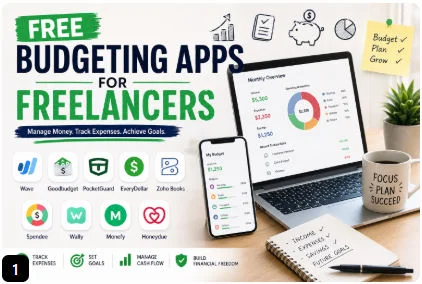
Wally (Free to Use) 📱 Free Budgeting Apps for Freelancers
Wally focuses on personal finance management and expense tracking. Freelancers can track spending, monitor savings, and gain insights into their financial habits. Its clean design makes budgeting simple and effective.
Pros ✅
- Free expense tracking
- Budget monitoring tools
- User-friendly design
- Financial insights and analytics
Cons ❌
- Limited integrations
- Occasional syncing issues
- Fewer advanced planning features
Monefy (Free Basic Version) 💹
Monefy is designed for users who want quick and simple expense tracking. Freelancers can record transactions within seconds and maintain better control over daily spending and budgeting.
Pros ✅
- Very easy to use
- Fast transaction entry
- Budget tracking features
- Lightweight application
Cons ❌
- Basic reporting tools
- Limited free features
- Not ideal for advanced financial planning
Must Read: 7 Essential PayPal Taxes for Freelancers Tips
Honeydue (Free App) Free Budgeting Apps for Freelancers
Honeydue is primarily designed for shared financial management but can also help freelancers organize expenses, budgets, and spending habits. Its intuitive interface makes money tracking easier.
Pros ✅
- Completely free app
- Spending notifications
- Budget tracking tools
- User-friendly experience
Cons ❌
- Focuses more on shared finances
- Limited freelancer-specific features
- Fewer accounting capabilities
How to Choose the Best Free Budgeting Apps for Freelances Income
Freelancers should look for budgeting apps that support income tracking, expense management, cash flow forecasting, savings goals, invoice tracking, and tax preparation. Since freelance earnings can vary monthly, selecting a tool that provides flexibility and financial visibility is essential for maintaining long-term financial stability.
Conclusion
Choosing among the Free Budgeting Apps for Freelancers depends on your business goals and financial management style. If you need built-in accounting and invoicing tools, Wave and Zoho Books are strong options. Freelancers who prefer structured budgeting may find Goodbudget and EveryDollar especially useful. Meanwhile, PocketGuard, Spendee, Wally, Monefy, and Honeydue offer practical features for expense tracking, cash flow management, and savings planning. These free budgeting apps help freelancers stay organized, make smarter financial decisions, and achieve their money goals without adding extra costs.
FAQs: Free Budgeting Apps for Freelancers
1. What is the best free budgeting app for freelancers?
Wave is often considered one of the best free options because it combines budgeting, accounting, invoicing, and expense tracking.
2. Can budgeting apps help freelancers manage irregular income?
Yes. Budgeting apps help track cash flow, create spending plans, and prepare for income fluctuations.
3. Are free budgeting apps secure?
Most reputable budgeting apps use encryption and security measures to protect financial information.
4. Which budgeting app is easiest for beginners?
Monefy and Goodbudget are beginner-friendly due to their simple interfaces and easy setup.
5. Do budgeting apps help with freelance taxes?
Apps like Wave and Zoho Books can assist with expense tracking and financial reports, making tax preparation easier.
[…] Best Budgeting Apps for Freelancers […]
[…] Regular Logs: Use reliable free budgeting apps for freelancers to track your cross-border profits and transaction expenses […]
[…] Free Budgeting Apps for Freelancers: 9 Best Money Management Tools […]
[…] an un-sponsored, exhaustive review of accounting architectures, view our tested breakdown of Free Budgeting Apps for Freelancers to optimize your daily accounting […]
[…] exploring some of the best Free Budgeting Apps for Freelancers to streamline your financial […]